
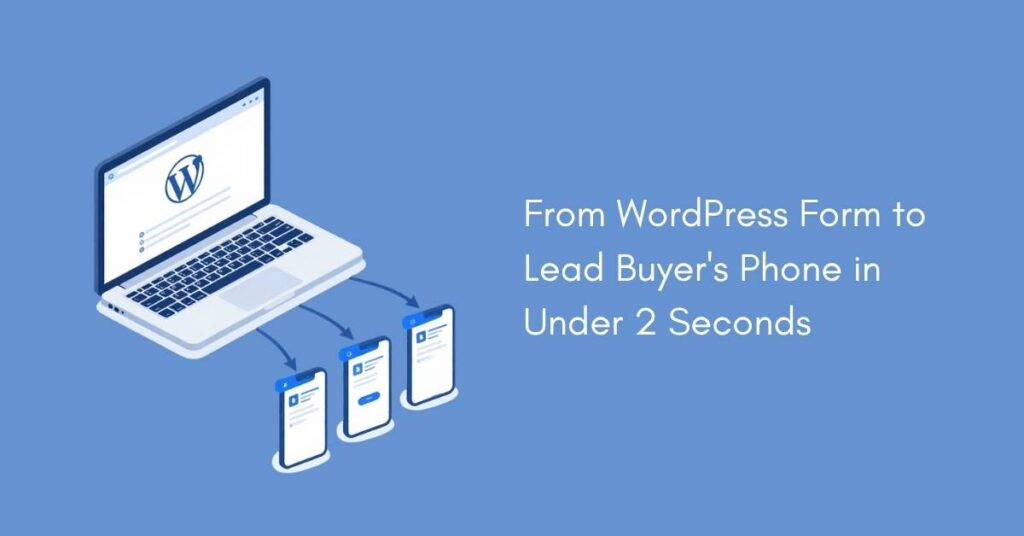
If you generate leads through your WordPress website and sell them to buyers — contractors, agents, agencies, or any local business — you’ve probably hit the same wall everyone hits: getting those leads to the right people, fast, without losing your mind.
Most lead sellers start with email. A form gets filled out, you get a notification, you copy-paste the info into an email, and you send it to whoever is supposed to get it. It works for a while. Then you add a second buyer. Then a third. Then one buyer says they never got a lead that you definitely sent. Then another buyer complains that someone else got “their” lead first. And suddenly, your lead distribution process is you staring at your inbox at 11pm trying to figure out who got what.
There’s a better way.
This guide walks you through how to set up automated lead distribution from your WordPress site to your lead buyers — no CRM, no developer, no complex enterprise software required.
The Problem With Manual Lead Distribution
When you’re selling leads manually, every step is a potential failure point.
A lead comes in through Contact Form 7, WPForms, or whatever form plugin you’re using. You get an email notification. You check the lead details. You figure out which buyer should get it based on your rotation or rules. You forward the info. Then you log it somewhere — maybe a spreadsheet, maybe your memory.
This process has three major problems.
Lack of speed kills deals. Studies consistently show that responding to a lead within the first five minutes dramatically increases the chance of conversion. If your buyer doesn’t receive the lead until you wake up, check your email, and forward it — that lead is cold. The prospect has already moved on to someone who answered faster. Your buyers notice this, and they blame you for “bad leads” when in reality the leads were fine, just late.
Manual routing creates mistakes. You’re bound to send a lead to the wrong person eventually. Or forget to send one altogether. Or accidentally send the same lead to a buyer who’s supposed to get exclusive leads. Each mistake costs you credibility with your buyers, and credibility is everything in the lead selling business.
It doesn’t scale. Maybe you can manage three buyers with email forwarding. But what happens when you have ten? Twenty? What about when leads come in from multiple sources — different websites, different forms, different campaigns? The manual approach collapses under its own weight, and suddenly you’re spending more time distributing leads than generating them.
What You Actually Need
Here’s the thing most lead sellers don’t realize: you don’t need a complex enterprise CRM or a bloated lead distribution platform. Those tools are built for large operations running thousands of leads through complex ping-post systems with real-time bidding.
If you’re a small to medium lead seller — the kind of person running WordPress sites, generating leads through forms, and selling them to a handful or a few dozen buyers — you need something smart but much leaner.
You need a system that:
- Captures leads automatically from your WordPress forms
- Routes them to the right buyer instantly based on rules you set once
- Delivers leads directly to your buyer’s phone so they can act immediately
- Handles fair rotation so no buyer feels shortchanged
- Requires zero technical ability from your buyers
That last point matters more than most people think. Your buyers are contractors, insurance agents, real estate professionals, local service providers — they’re not tech people. If you hand them a CRM login and tell them to check a dashboard, half of them won’t bother. Leads go unseen. Buyers churn. Revenue disappears.
The WordPress-Native Solution
The simplest path from WordPress form to buyer’s phone is a WordPress plugin connected to a mobile app. This is exactly what Easy Lead Distribution (ELD) was built for.
Here’s how the setup works, step by step.
Step 1: Install the WordPress Plugin
ELD has plugins for Contact Form 7, WPForms, and its own standalone form builder (ELD Forms). You install whichever matches your existing setup — or use ELD Forms if you’re starting fresh. We cover the full setup for each plugin in our WordPress form connection guide.
The plugins are available on WordPress.org, so installation is the same as any other plugin: go to Plugins > Add New, search for “Easy Lead Distribution,” install, and activate.
Step 2: Define Your Lead Flows
A “lead flow” in ELD is simply a pipeline — it defines where leads come from and who receives them. For example, you might have a lead flow called “Phoenix Roofing Leads” that takes leads from a specific form on your roofing lead gen site and distributes them to three roofing contractors in the Phoenix area.
You can create as many flows as you need. Each flow can pull from a WordPress form. When you set up a new flow on your ELD app, you just need to copy the Flow ID to your ELD WordPress Plugin. That’s it.
When setting up a flow, you also define how many times a shared lead can be sold — for example, 3 times. This gives each flow two distribution tiers built in: exclusive and shared.
Then, when you assign buyers to the flow, you choose which tier each buyer gets:
Direct (Fresh Leads) are exclusive — each lead goes to one buyer only, no two fresh buyers receive the same lead.
Shared leads are delivered to multiple buyers — up to the number you defined when setting up the flow. So if you set it to 3 times shared, each shared lead goes to up to 3 shared buyers. Shared buyers pay less, but share the lead with others.
Lead distribution rotates fairly through buyers — both for fresh and shared tiers. Every buyer connected to the flow gets leads consistently, and no one gets more or fewer than anyone else.
This means you can run premium and budget pricing within the same flow — charge more for exclusive fresh leads, offer a lower price for shared ones, zero extra setup.
For a deeper look at how to price each tier, see Exclusive vs. Shared Leads: How to Price Both and Maximize Revenue.
You can also set up segmentation rules — route leads based on location, budget, service type, or any custom field your form captures.
Step 3: Add Your Buyers
Adding a buyer is dead simple. You enter their name and email address in your seller dashboard, assign them to one or more flows, and for each flow you pick whether they receive fresh or shared leads. ELD automatically sends them a welcome email with login instructions. They download the app on iOS or Android, log in, and they’re immediately connected to their assigned flows.
The buyer doesn’t configure anything. They don’t set up filters, create profiles, or learn a dashboard. They just receive leads as notifications on their phone. They tap the notification, see the lead details, and can call or email the prospect directly from the app.
This is the part that makes or breaks buyer retention. If your delivery method requires any effort from the buyer, some percentage of them won’t bother. With a mobile app and instant notifications, the lead finds them — they don’t have to go find it.
Step 4: Let It Run
Once your flows are configured and buyers are connected, the system runs on autopilot. A prospect fills out your WordPress form. The plugin sends the lead to ELD. ELD evaluates your distribution rules, picks the right buyer (or buyers), and delivers the lead to their phone — all in under two seconds.
You can monitor everything from your seller dashboard: how many leads each flow has processed and which buyers received what. If you need to pause a flow, add a new buyer, or adjust rules, it takes seconds.
There’s no daily maintenance. No spreadsheets to update. No emails to forward. You focus on generating more leads and growing your business. The distribution handles itself.
Why Not Just Use Zapier or Make.com?
This is a fair question. You can absolutely rig up a lead distribution system using Zapier connected to Google Sheets and email. People do it all the time.
The problem is that you end up with a fragile chain of automations that breaks in non-obvious ways. Zapier doesn’t natively understand round-robin rotation, so you need workarounds. You’ll need separate zaps for each buyer, each flow, each rule. When something breaks — and it will — debugging means tracing through multiple automation steps to find where the chain snapped.
More importantly, your buyers still receive leads via email. No instant notifications, no mobile app, no one-tap calling. They get an email that might land in spam, that they might not see for hours, mixed in with everything else in their inbox.
For a couple of buyers and low volume, Zapier can work. But it doesn’t scale gracefully, and it delivers a worse experience for your buyers compared to a purpose-built system.
Why Not a Bloated Enterprise Platform?
These platforms are powerful but only for specific use cases. They support ping-post, real-time bidding, complex routing logic, and high-volume distribution. If you’re running a large lead aggregation operation, they’re worth considering.
But these type of platforms can easily cost from $1,000/month and up — this before setup fees and customization. They also require significant setup time and technical knowledge. They’re built for operations distributing thousands of leads per day with dozens of complex buyer integrations.
If you’re a small to medium lead seller doing a few hundred to a couple thousand leads per month, these platforms are overkill. You’re paying for features you’ll never use, fighting a learning curve that doesn’t match the simplicity of your business, and your buyers — who are often non-technical local business owners — are going to struggle with the complexity on their end too.
We break this down in detail in Lead Distribution Software for Small Teams: Why Most Platforms Are Overkill.
ELD sits in the gap between “DIY Zapier hacks” and “complex enterprise lead distribution platforms.” It’s purpose-built for lead sellers who need reliable, automatic distribution without the complexity or the price tag.
Getting Started
If you’re currently distributing leads manually or through a patchwork of automations, here’s how to switch:
- Sign up for a free trial at EasyLeadDistribution.com/Plans
- Install the iOS or Android app
- Install the WordPress plugin that matches your form builder
- Create your first lead flow and add your buyers
- Send a test lead through your form and watch it arrive on your phone in seconds
The entire setup takes minutes, not days. Your buyers will download the app and start receiving leads immediately. And you’ll stop spending your evenings copy-pasting lead info into emails.
The leads you generate are valuable. Make sure they actually reach the people who are paying for them — instantly, reliably, and without any manual work on your part.